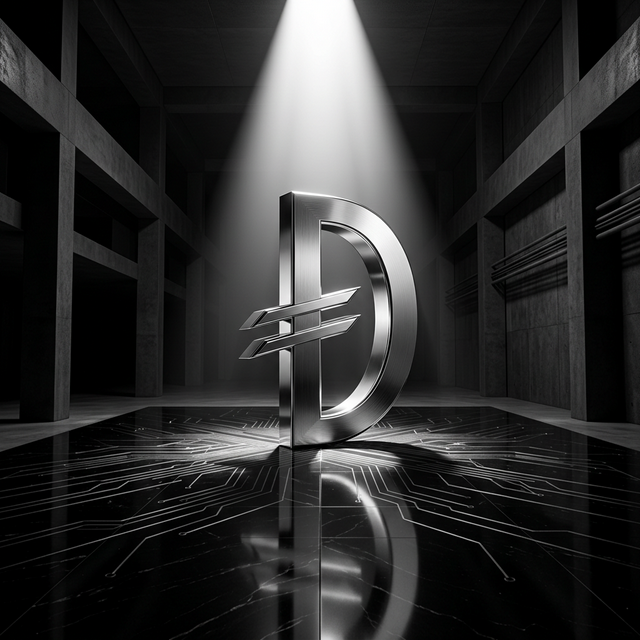
For 18 years, the UAE Dirham had no dedicated Unicode symbol. Every major currency got one: the Dollar ($), Euro (€), Pound (£), Yen (¥). The dirham used "AED" in every fintech system on earth. That changed in July 2025 when the Unicode Technical Committee accepted U+20C3 (UAE DIRHAM SIGN) for inclusion in Unicode 18.0.
There's one problem: the symbol won't render on any device until operating systems ship Unicode 18.0 support in September 2026.
The Problem: A Symbol Without a Home
When a currency gets a Unicode codepoint, the typical expectation is that it "just works". Type the character and see the symbol. But Unicode is a standard, not a rendering engine. Each operating system, browser, and font must separately implement support for new characters.
The timeline looks like this:
| Milestone | Date |
|---|---|
| UAE Central Bank proposes Dirham symbol | 2024 |
| Unicode Technical Committee accepts U+20C3 | July 22, 2025 |
| Unicode 18.0 published | September 2026 (scheduled) |
| Operating systems add font support | 2026-2027 |
Until your users' devices ship with Unicode 18.0 fonts, displaying the Dirham symbol requires a workaround.
Why This Took So Long
Currency symbol encoding is not trivial. The Unicode Consortium maintains rigorous standards for:
- Uniqueness. The glyph must not conflict with existing characters.
- Stability. Once encoded, the codepoint never changes.
- Renderability. The glyph must be designable at multiple sizes.
- Bank endorsement. The symbol must be officially approved by the issuing central bank.
The UAE Central Bank officially endorsed the symbol design, which was the key requirement for the Unicode proposal. The symbol is based on the existing coin glyph used on the 1 Dirham coin, sourced from the Central Bank of UAE.
The Solution: Use the Codepoint Today, Drop the Font Later
The dirham npm package implements a forward-looking strategy: encode the correct Unicode codepoint (U+20C3) everywhere, then provide a web font as a temporary rendering layer. When native OS support arrives, you simply remove the font import. No code changes required.
This is the core design principle:
Use the correct codepoint now. Drop the workaround later.
// Today: uses web font to render U+20C3
import 'dirham/css';
// <i class="dirham-symbol"></i>
// After Unicode 18.0: remove the import, everything keeps working
// All your components, CSS classes, and JS utilities remain validMigration Path
| Today | After Unicode 18.0 (Sept 2026) | |
|---|---|---|
| Codepoint | U+20C3 | U+20C3 |
| Rendering | Custom web font | Native OS font |
| Your code | No changes needed | No changes needed |
| Action | Keep import | Remove dirham/css import |
Package Features
DirhamSymbol SVG Component
DirhamSymbol renders an inline SVG. No font loading required, SSR-compatible:
import { DirhamSymbol } from 'dirham/react';

<DirhamSymbol size={24} weight="bold" />
Weight variants match the symbol stroke to surrounding text: thin, extralight, light, regular, medium, semibold, bold, extrabold, black.
DirhamPrice React Component
Combines formatting and symbol in one component:
import { DirhamPrice } from 'dirham/react';

<DirhamPrice amount={1250} />
<DirhamPrice amount={1500000} notation="compact" weight="bold" />
<DirhamPrice amount={100} useCode />
<DirhamPrice amount={750} className="text-white text-2xl" />
Web Components (Framework-Agnostic)
Works in Vue, Angular, Svelte, and vanilla HTML:
Via CDN (no build step):
<script type="module" src="https://cdn.jsdelivr.net/npm/dirham/dist/web-component/index.js"></script>

<dirham-symbol size="24" weight="bold"></dirham-symbol>
<dirham-price amount="1250"></dirham-price>
<dirham-price amount="5000000" notation="compact"></dirham-price>
Vue:
<script setup>
import 'dirham/web-component';
</script>

<template>
  <dirham-symbol size="24" weight="bold" />
  <dirham-price amount="1250" />
</template>
Angular:
import { CUSTOM_ELEMENTS_SCHEMA, Component } from '@angular/core';
import 'dirham/web-component';

@Component({
  schemas: [CUSTOM_ELEMENTS_SCHEMA],
  template: `
    <dirham-symbol size="24" weight="bold"></dirham-symbol>
    <dirham-price amount="1250"></dirham-price>
  `
})
export class AppComponent {}
Svelte:
<script>
  import 'dirham/web-component';
</script>

<dirham-symbol size="24" weight="bold"></dirham-symbol>
<dirham-price amount="1250"></dirham-price>
<dirham-price> Attributes
| Attribute | Default | Description |
|---|---|---|
amount | 0 | Numeric value to display |
locale | "en-AE" | Intl locale string (e.g. ar-AE) |
decimals | 2 | Number of decimal places |
notation | "standard" | "standard" or "compact" |
use-code | — | Boolean attribute. Shows AED instead of the symbol |
symbol-size | "1em" | SVG symbol width/height |
weight | "regular" | thin, light, regular, bold... |
currency | "AED" | Currency code when use-code is set |
CDN (No Bundler)
<!-- CSS web font -->
<link rel="stylesheet" href="https://cdn.jsdelivr.net/npm/dirham/dist/css/dirham.css" />
<i class="dirham-symbol" aria-label="UAE Dirham"></i>

<!-- Web Component -->
<script type="module" src="https://cdn.jsdelivr.net/npm/dirham/dist/web-component/index.js"></script>
<dirham-symbol size="20"></dirham-symbol>
<dirham-price amount="1250"></dirham-price>
JavaScript Formatting Utilities
import {
formatDirham,
parseDirham,
copyDirhamSymbol,
DIRHAM_UNICODE,
DIRHAM_SYMBOL_TEXT,
DIRHAM_CURRENCY_CODE,
DIRHAM_HTML_ENTITY,
} from 'dirham';
// Format amounts
formatDirham(1234.5); // ' 1,234.50'
formatDirham(1234.5, { locale: 'ar-AE' }); // '١٬٢٣٤٫٥٠ '
formatDirham(100, { useCode: true }); // 'AED 100.00'
formatDirham(1500000, { notation: 'compact' }); // ' 1.5M'
parseDirham(' 1,234.50'); // 1234.5
// Copy symbol to clipboard
await copyDirhamSymbol(); // copies (U+20C3) to clipboard
await copyDirhamSymbol('html'); // copies ⃃
await copyDirhamSymbol('css'); // copies \20C3CSS / SCSS
import 'dirham/css';
// <i class="dirham-symbol" aria-label="UAE Dirham"></i>@use 'dirham/scss';CLI Utility
npx dirham # Print symbol info
npx dirham copy # Copy to clipboard
npx dirham copy html # Copy ⃃Package Exports
| Export | Contents |
|---|---|
dirham | Core utilities, constants, and clipboard |
dirham/react | DirhamSymbol, DirhamIcon, DirhamPrice |
dirham/web-component | <dirham-symbol>, <dirham-price> custom elements |
dirham/css | CSS with @font-face |
dirham/scss | SCSS with @font-face |
dirham/font/woff2 | WOFF2 font file (default) |
dirham/font/woff | WOFF font file |
dirham/font/ttf | TTF font file |
dirham/font/sans/woff2 | Sans-serif variant WOFF2 |
dirham/font/serif/woff2 | Serif variant WOFF2 |
dirham/font/mono/woff2 | Monospace variant WOFF2 |
dirham/font/arabic/woff2 | Arabic variant WOFF2 |
Installation
pnpm add dirham
# or
npm install dirham
# or
yarn add dirham
Why This Matters for Your Application
If you're building fintech applications, e-commerce platforms, or any system handling UAE Dirham amounts, you have two choices:
- Use "AED" text. Functional but lacking in visual polish.
- Use the dirham package. Proper currency symbol with a future-proof migration path.
dirham is the only solution that lets you use the correct Unicode symbol (U+20C3) today while maintaining zero migration effort when operating systems catch up in late 2026.
Resources
- npm package
- GitHub repository
- Live demo
- Unicode 18.0 Character Charts
- Central Bank of UAE - Currency