RevOps AI
An AI sales CRM built on Notion, driven by Gemini through the Model Context Protocol.
RevOps AI — Build Your AI Sales Team on Notion
Revenue Operations platform that lets marketing directors and company managers build, deploy, and manage an AI-powered sales team — with Notion as the single source of truth.
Built for the Notion MCP Challenge.


The Problem
Marketing directors and sales managers face the same daily struggle:
- CRM tools are data silos — Salesforce, HubSpot, Pipedrive lock your data behind proprietary walls. Your team already lives in Notion for docs, wikis, and project management. Why maintain two systems?
- No intelligent follow-up — Reps forget to follow up, deals go stale, leads cool off. Nobody synthesizes activity history before a call.
- Manual pipeline analysis — Managers waste hours building reports, scoring leads by gut feel, and writing repetitive emails.
- Sales martech is fragmented — Lead scoring, email drafting, pipeline analytics, and activity tracking require 4+ separate tools.
The Solution: RevOps AI
RevOps AI consolidates your entire revenue operation into a single platform where Notion is your database and Gemini 2.5 Flash is your AI sales team member. The AI doesn't just answer questions — it autonomously decides which Notion operations to perform, effectively becoming a self-directed sales agent.
How It Works — Application Flow
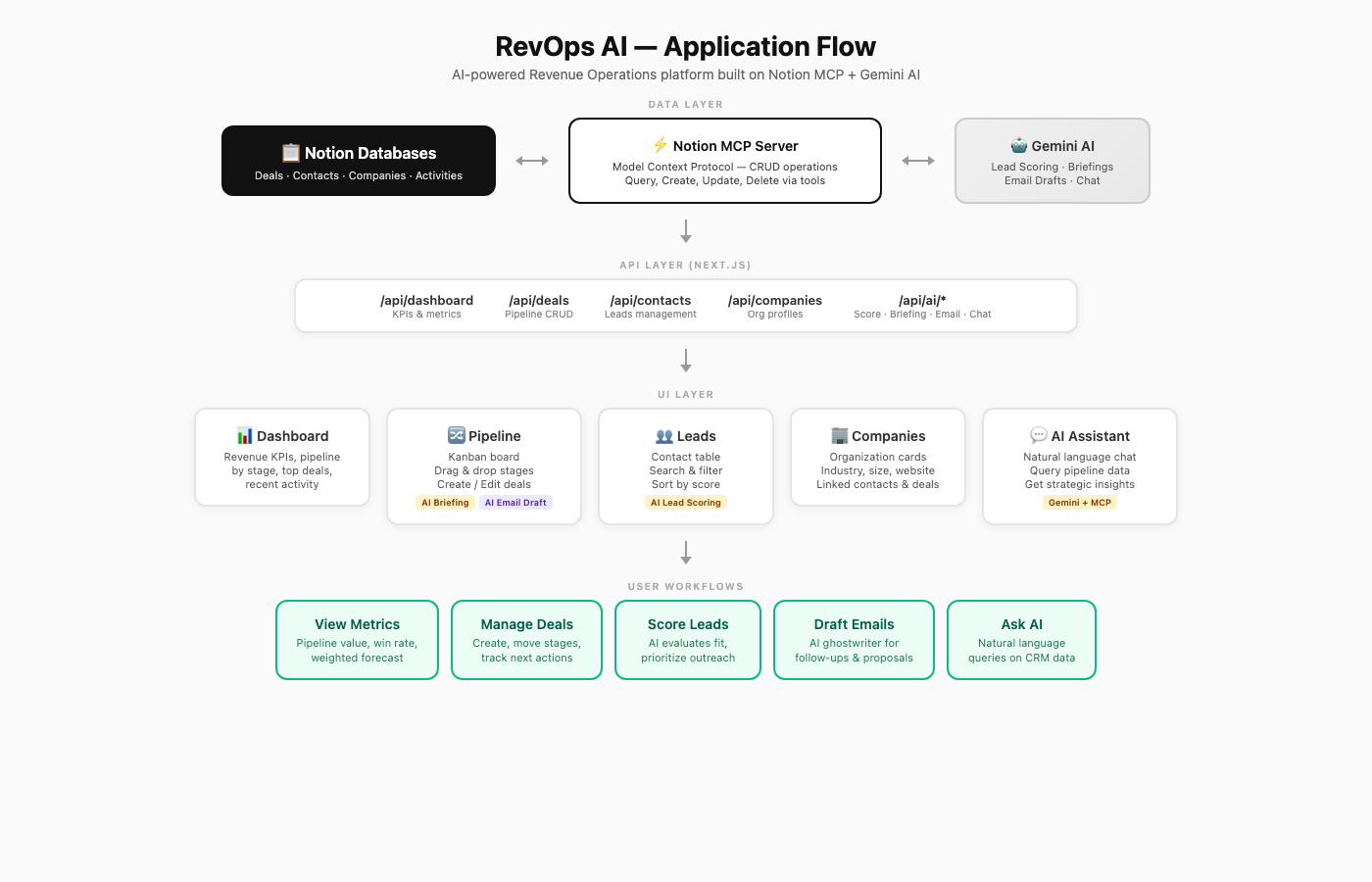
The key innovation: mcpToTool() from @google/genai auto-maps all 22 Notion MCP tools to Gemini function declarations. Gemini decides at runtime which tools to call — query a database, create a page, update a field, search across the workspace — without any hardcoded logic.
Features
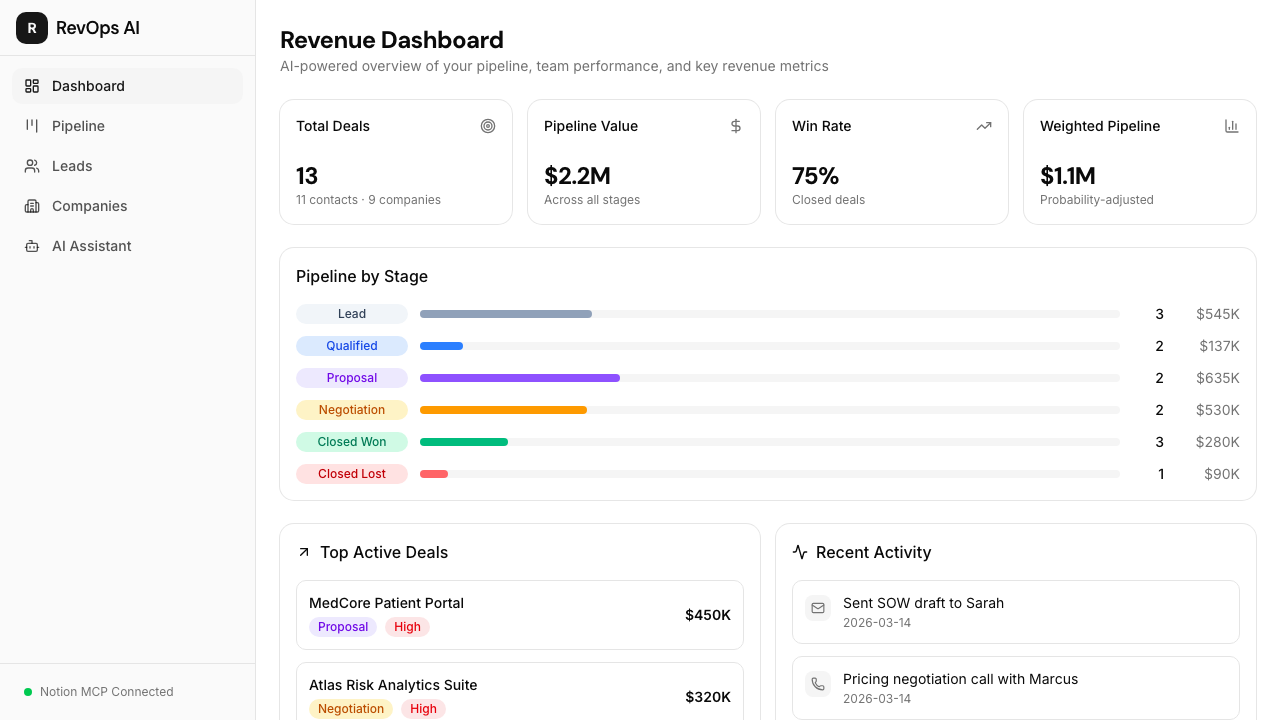
Revenue Dashboard
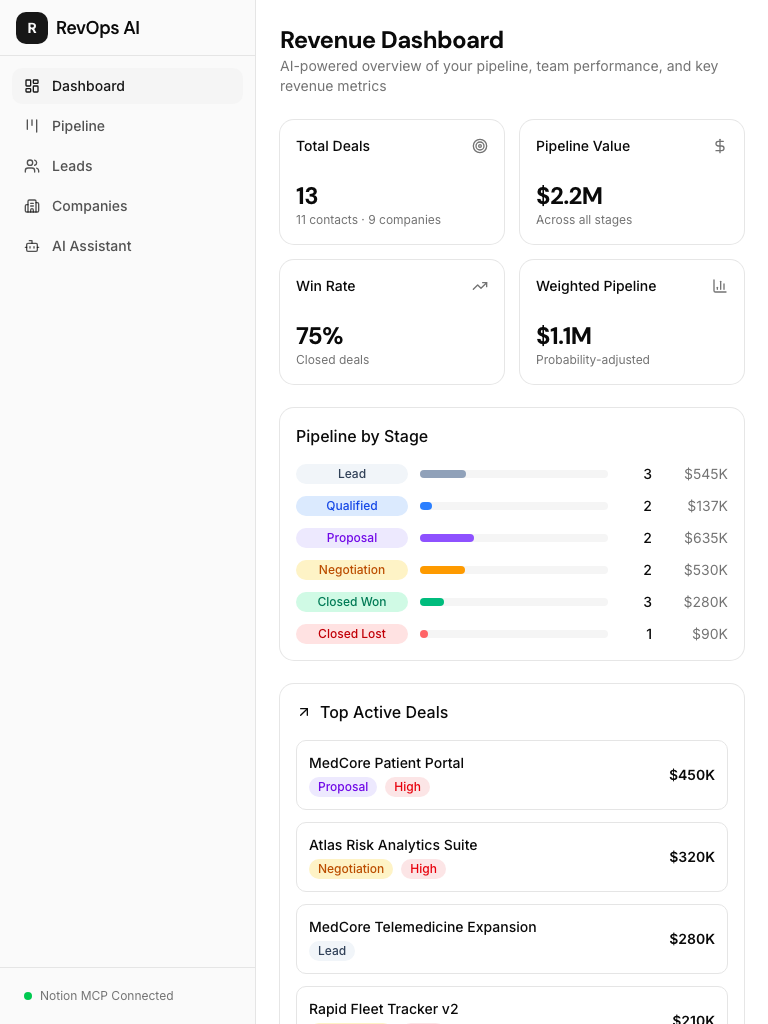
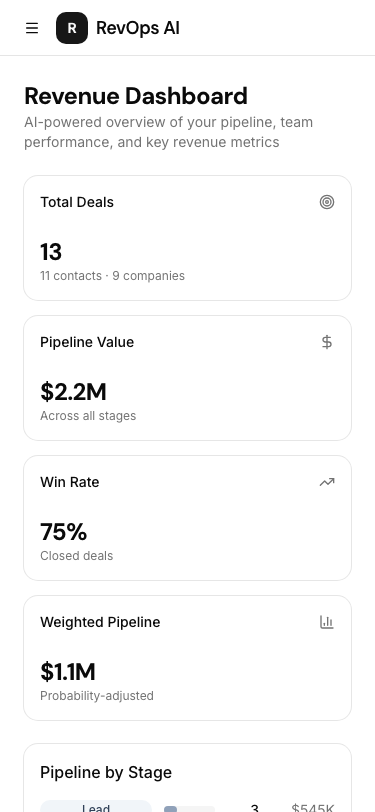
Pipeline metrics at a glance: total pipeline value, win rate, deal breakdown by stage, top deals, and recent team activity. All data flows from Notion through MCP in real-time.
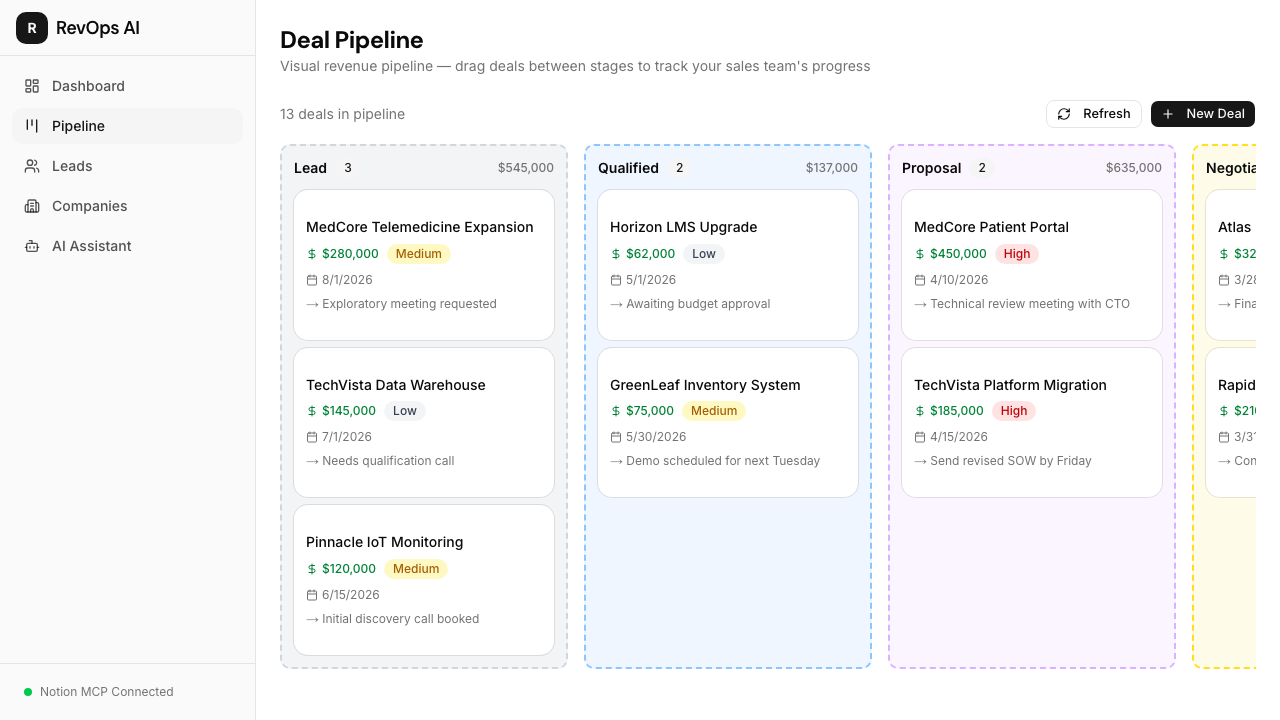
Visual Deal Pipeline (Kanban)
Drag-and-drop deals between 6 stages (Lead → Qualified → Proposal → Negotiation → Closed Won → Closed Lost). Every move syncs to Notion instantly via MCP.
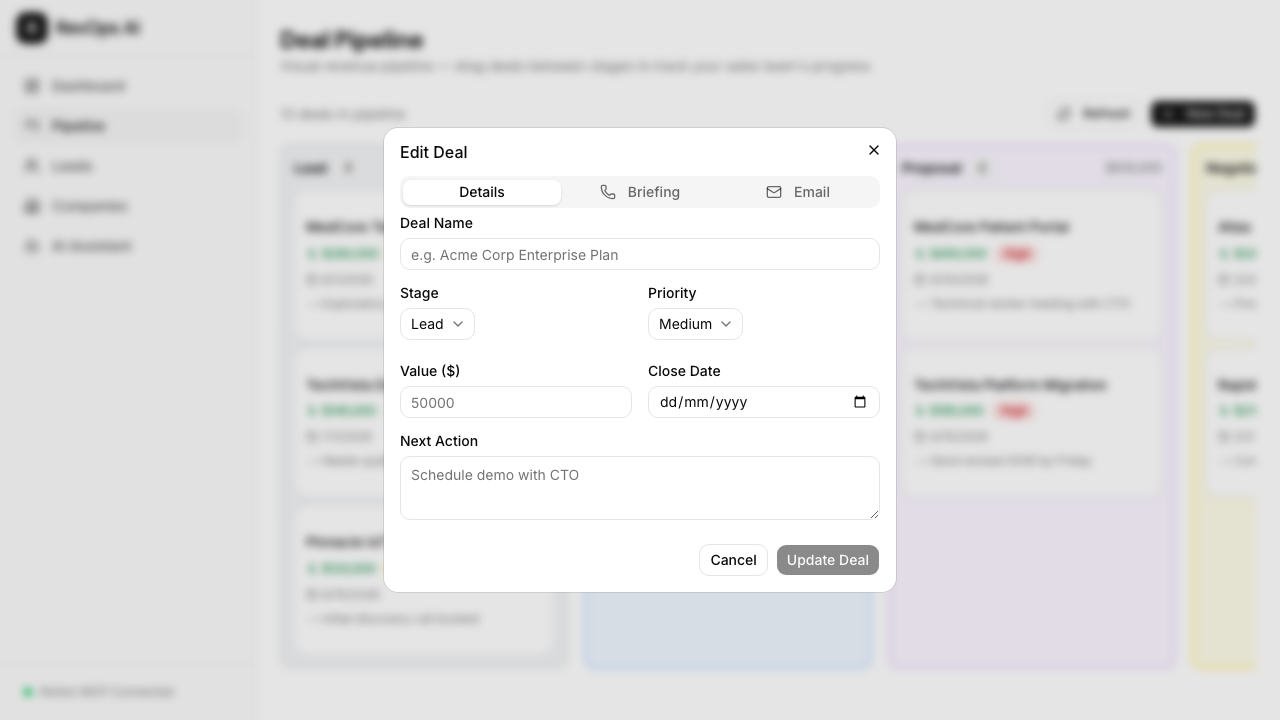
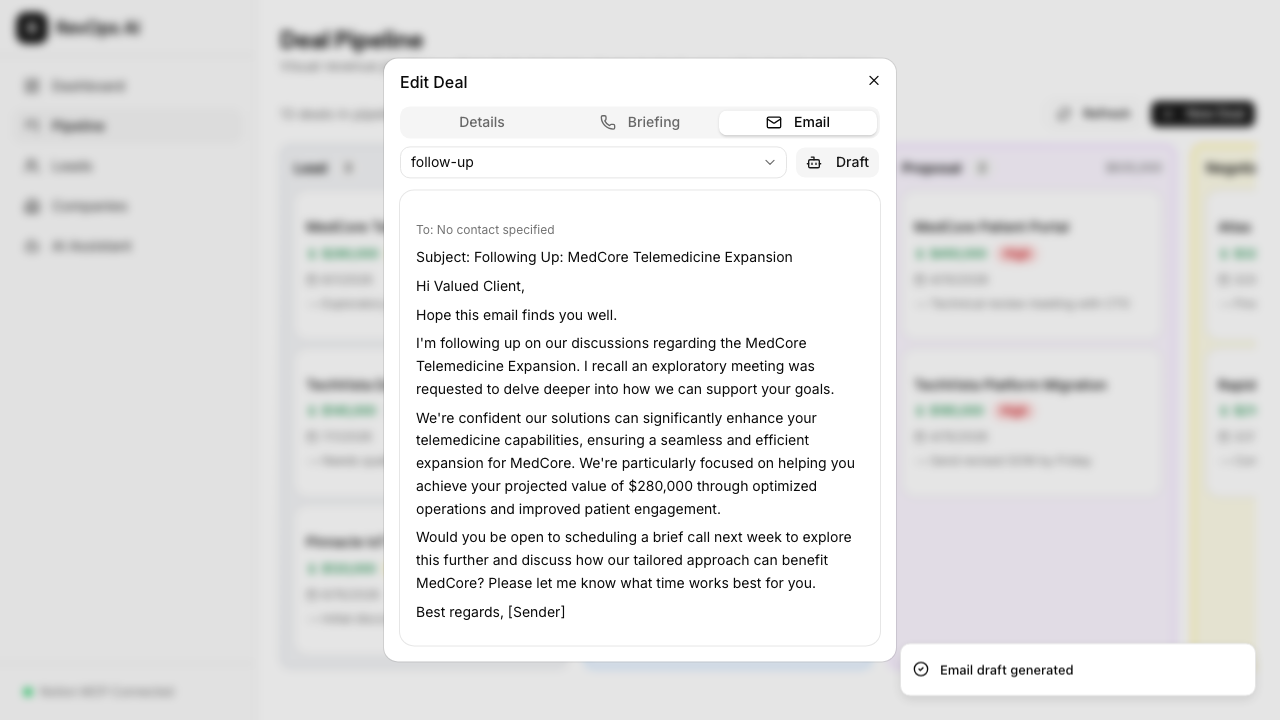
Click any deal to edit details, generate AI pre-call briefings, or draft sales emails:
| Deal Details | AI Email Draft |
|---|---|
 |
 |
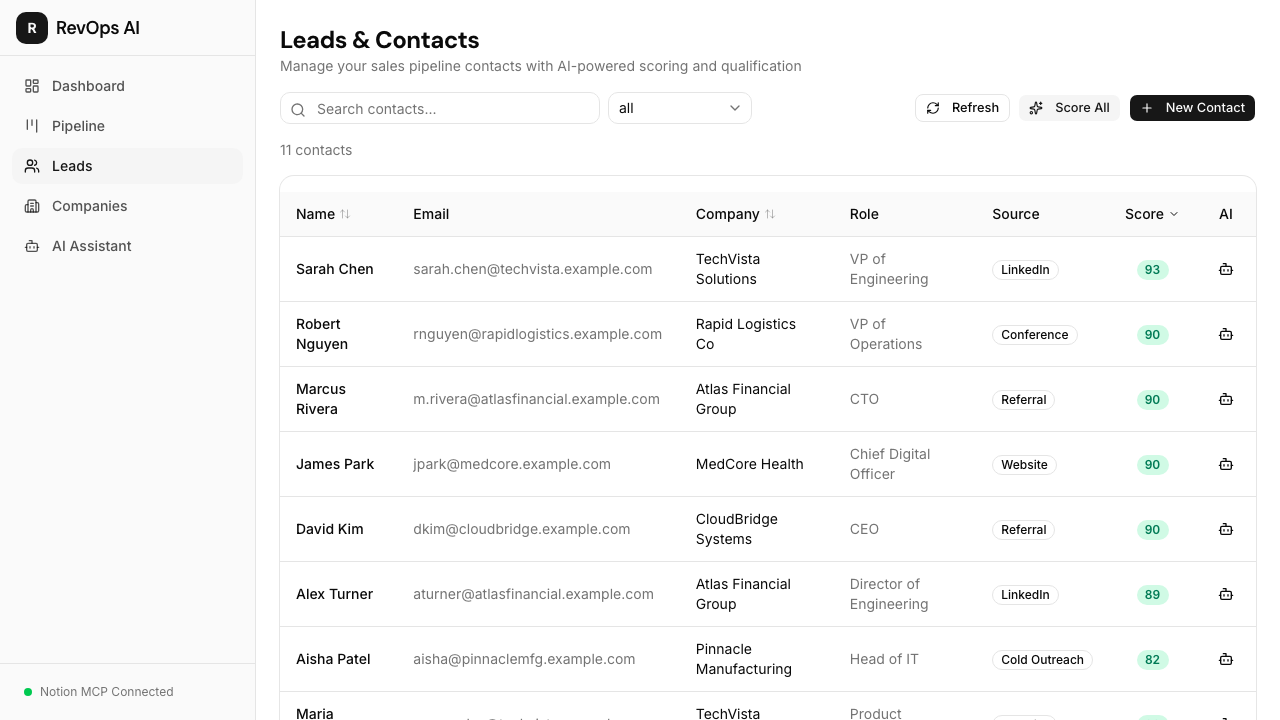
AI Lead Scoring
One-click AI analysis evaluates a contact's profile (role seniority, company size, engagement history) and assigns a 0-100 score with written reasoning. Scores are persisted back to Notion for your team to see.
Companies
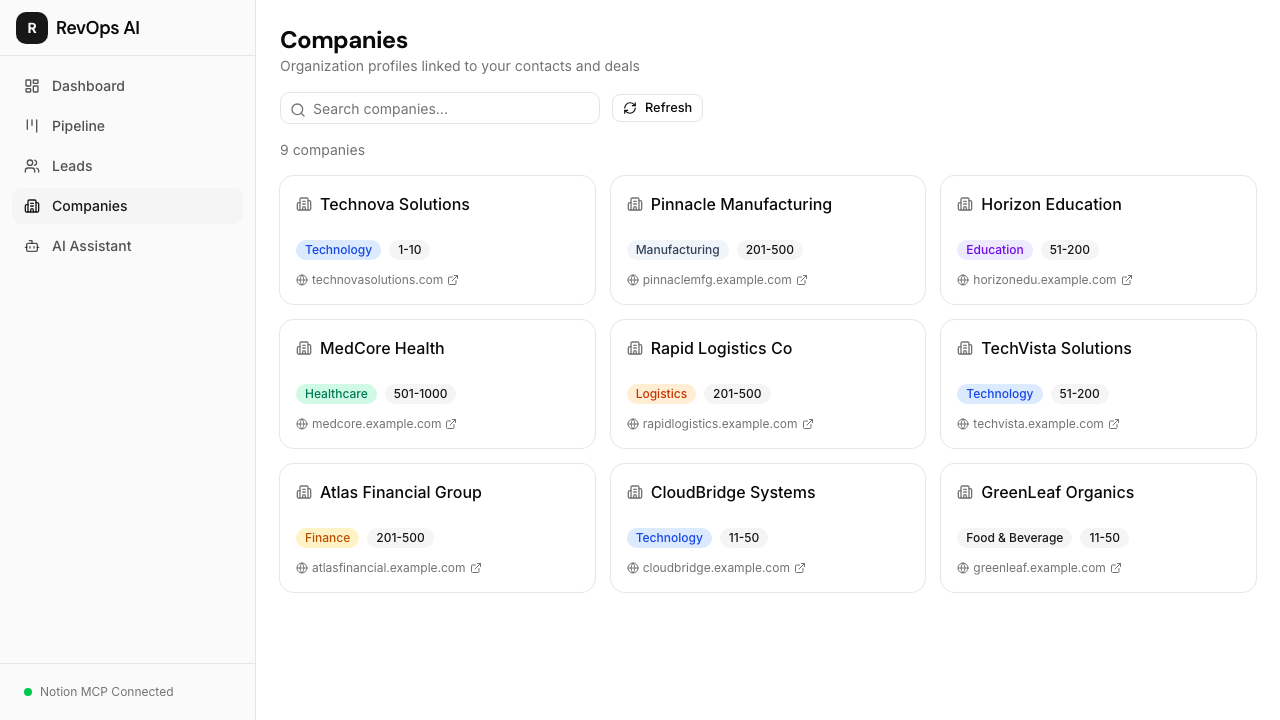
Organization profiles linked to your contacts and deals — industry, size, website, and more.
AI Sales Team Manager
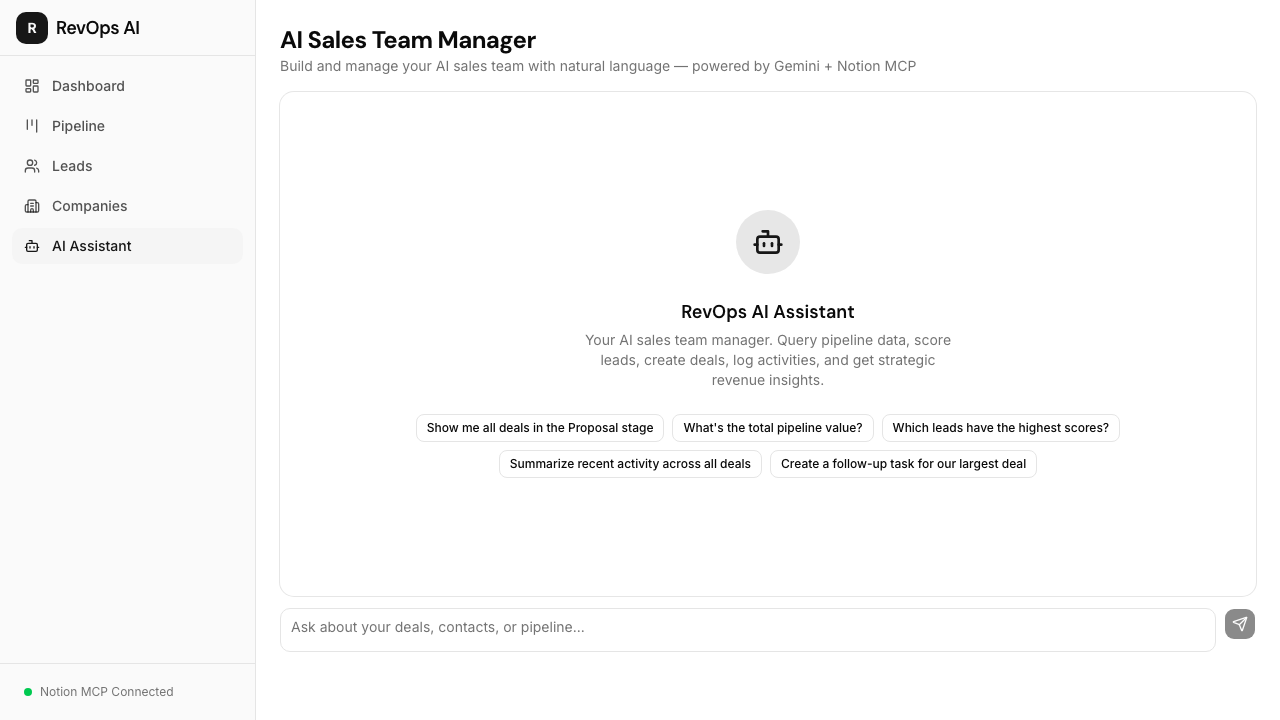
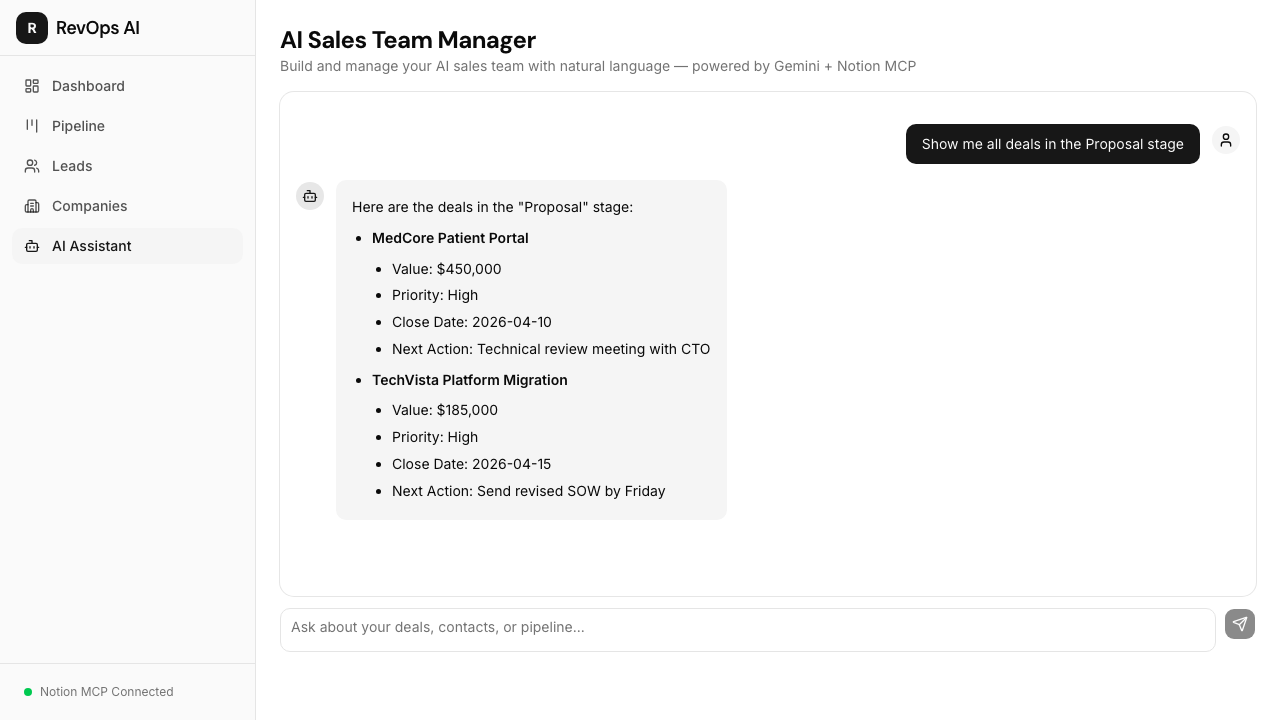
Chat with your revenue data using natural language. Ask "What's my pipeline health?" and the AI autonomously queries Notion, calculates win rates, and surfaces insights. Say "Create a follow-up for the Acme deal" and it creates activities linked to the right deal.
| Empty State | AI Response |
|---|---|
 |
 |
Responsive Design
Fully responsive across desktop, tablet, and mobile — manage your pipeline from anywhere.
| Desktop | Tablet | Mobile |
|---|---|---|
|
 |
 |
Why Notion MCP? The Practical Benefits
Most CRM tools create data silos. RevOps AI takes a fundamentally different approach by using Notion as the database layer through MCP:
| Problem | Traditional CRM | RevOps AI + Notion MCP |
|---|---|---|
| Data ownership | Locked in proprietary DB | Your Notion workspace — you own it |
| Team collaboration | CRM-only views | Everyone can view/edit in Notion too |
| Customization | Pay for custom fields | Add any Notion property for free |
| Integration | Buy expensive connectors | Notion connects to 100+ tools natively |
| AI access | Limited to vendor's AI | Full autonomous AI via MCP protocol |
| Migration | Painful, lossy exports | Data stays in Notion forever |
| Cost | $50-150/user/month | Notion free/plus plan + free Gemini API |
Why MCP Makes This Possible
The Model Context Protocol solves the AI-to-tool connection problem:
- Standardized interface — One protocol to expose all 22 Notion operations (search, query, create, update, retrieve...) as AI-callable tools
- Autonomous tool selection — Through
mcpToTool(), Gemini receives the full tool catalog and decides which to call based on context. No hardcoded if/else chains. - Multi-step reasoning — The AI chains multiple MCP calls in one response. Ask "Brief me on TechCorp" and it: (1) searches for the deal, (2) queries activities, (3) retrieves the contact, (4) synthesizes a briefing — autonomously.
- Zero schema maintenance — When Notion MCP adds new tools, they're automatically available to the AI. No code changes needed.
Tech Stack
| Layer | Technology |
|---|---|
| Framework | Next.js 15 (App Router), TypeScript (strict) |
| UI | Tailwind CSS v4, shadcn/ui, Lucide icons |
| AI | Google Gemini 2.5 Flash via @google/genai |
| Data | Notion (4 databases) via MCP protocol |
| MCP | @notionhq/notion-mcp-server (HTTP mode) + @modelcontextprotocol/sdk |
| DnD | @dnd-kit/core + @dnd-kit/sortable |
| Linting | Biome |
Notion Databases
| Database | Purpose | Key Fields |
|---|---|---|
| Contacts | Lead & customer profiles | Name, Email, Company, Role, Lead Score, Source |
| Deals | Sales pipeline items | Name, Contact (relation), Stage, Value, Close Date, Priority, Next Action |
| Activities | Sales touchpoints | Type (call/email/meeting/note), Date, Deal (relation), Summary, Raw Notes |
| Companies | Organization profiles | Name, Industry, Size, Website |
Getting Started
Prerequisites
- Node.js 18+
- pnpm
- A Notion Integration with access to your workspace
- A Google Gemini API key (free tier works)
Setup
Clone the repo:
git clone https://github.com/pooyagolchian/ai-sales-crm.git
cd ai-sales-crm
pnpm install
Copy the environment file and fill in your keys:
cp .env.example .env.localCreate 4 Notion databases (Contacts, Deals, Activities, Companies) in your workspace and add their IDs to
.env.local.Start both the Next.js dev server and the Notion MCP server:
pnpm dev:allOpen http://localhost:3000.
Environment Variables
GEMINI_API_KEY=           # Google Gemini API key (from aistudio.google.com)
NOTION_TOKEN=             # Notion integration token
MCP_SERVER_URL=           # MCP server URL (default: http://localhost:3001/mcp)
NOTION_CONTACTS_DB_ID=    # Contacts database ID
NOTION_DEALS_DB_ID=       # Deals database ID
NOTION_ACTIVITIES_DB_ID=  # Activities database ID
NOTION_COMPANIES_DB_ID=   # Companies database ID
NOTION_CONTACTS_DS_ID=    # Contacts data source ID
NOTION_DEALS_DS_ID=       # Deals data source ID
NOTION_ACTIVITIES_DS_ID=  # Activities data source ID
NOTION_COMPANIES_DS_ID=   # Companies data source ID
Note:
DB_ID(database IDs) are used for creating pages viaAPI-post-page.DS_ID(data source IDs) are used for querying viaAPI-query-data-source. These are different in Notion MCP v2+.
Scripts
| Command | Description |
|---|---|
pnpm dev |
Start Next.js dev server |
pnpm mcp |
Start Notion MCP server on port 3001 |
pnpm dev:all |
Start both concurrently |
pnpm build |
Production build |
pnpm lint |
Run Biome linter |
License
MIT